Prime Video · Case study
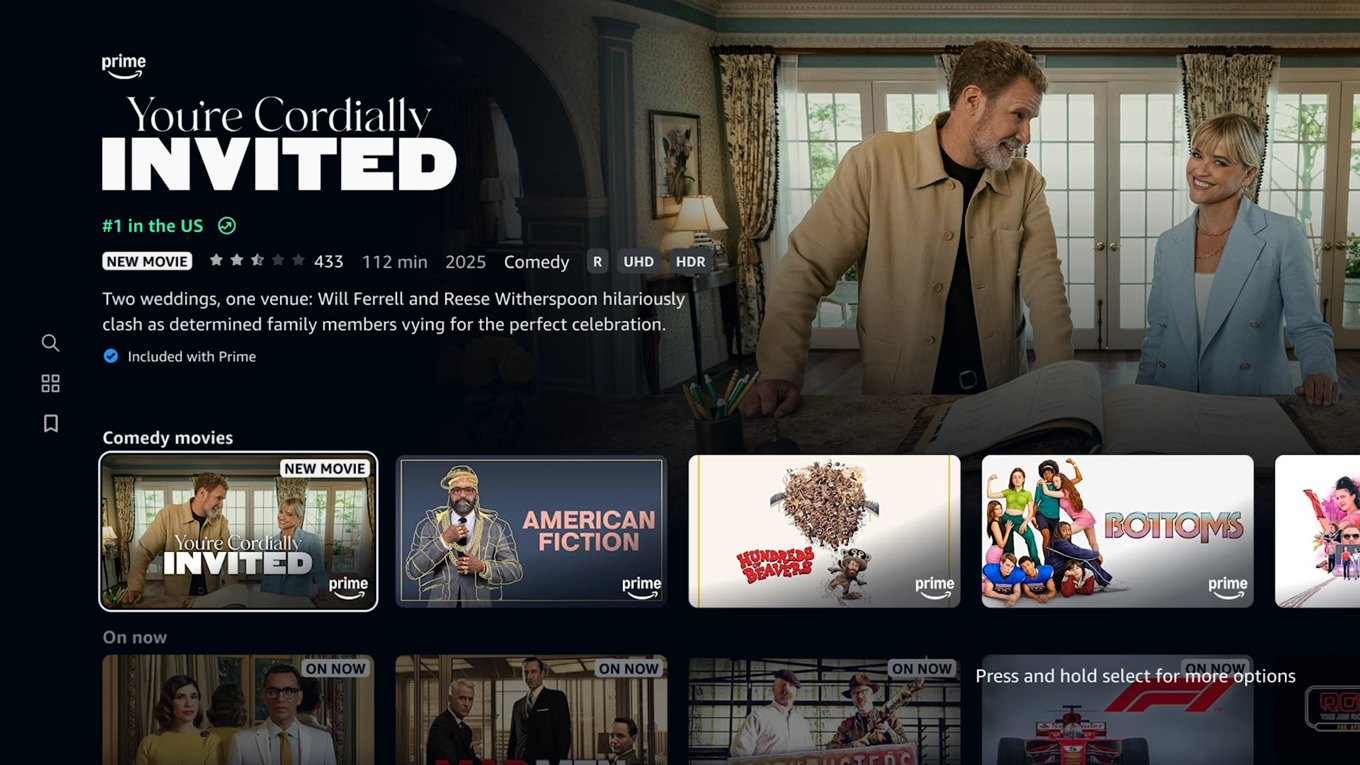
Rebuilding Prime Video for Apple TV
Turning a clunky cross-platform port into an app that finally felt at home on Apple TV.
01The problem
Customers didn't hold back. They called the old app unusable, jumpy and horribly clunky. Scrubbing through a video was effectively broken, navigation took too many clicks, search had high drop-off and accessibility features were missing or didn't work.
The root cause wasn't a handful of bad decisions. The app had been built for lots of platforms at once, and Apple TV had paid the price.
02My role
I partnered with Product, Engineering and Apple to shape scope, UX strategy and launch decisions. I focused on the three core journeys: navigation, playback and search.
I also pushed for accessibility to be a baseline requirement, not something to fix after launch.
03Approach
The guiding principle was to rebuild natively instead of porting, and to fully embrace Apple's interaction model instead of forcing a shared UI onto it.
We were a small team doing a full rebuild, so we shipped a Minimum Lovable Product. If a feature wasn't part of getting from browse to play, it didn't make v1. The plan was always to ship something people loved using and build from there.
04Key decisions
Navigation that keeps up with you
I replaced click-by-click movement with velocity-based swiping, free focus and directional navigation, so browsing a huge catalog stopped feeling like a chore.
Scrubbing in a single swipe
Playback was where people felt the most pain. Scrubbing went from a multi-click process to one swipe, with real-time feedback tied to the gesture.
Search that isn't a dead end
The keyboard and results sit in one view, so results appear as you type. Voice search works through the Siri remote.
Native from top to bottom
We added SharePlay, Picture in Picture and native focus states, so Prime Video behaves like every other great Apple TV app.
05Designed for everyone
We turned on the full Apple accessibility suite from day one, including VoiceOver, contrast settings and motion controls, and closed gaps that had been open in the old app for years.
Treating accessibility as part of v1 meant it shipped with everything else instead of waiting in a backlog.
06Outcome
Feedback changed noticeably. Complaints about clunky controls and jumpy performance turned into comments about speed, intuitive controls and the app finally feeling consistent with the rest of Apple TV.
The press noticed too. VICE said Prime Video and tvOS felt "more seamlessly blended than ever", and 9to5Mac called it "a much more native-feeling tvOS experience than Amazon has ever had." The rebuild also strengthened Amazon's relationship with Apple.
07What I learned
Shipping less, done properly, beat waiting for feature parity. People forgave missing features far faster than they'd ever forgiven a clunky remote.